
The Remote Work Tech Setup That Fits in a 20L Backpack
Most remote work packing guides are built by people who checked bags their whole trip. This one isn’t. Every item on this list has been chosen for carry-on life, weight discipline, and a full workday performance — all fitting inside 20 litres.
This guide is built for remote workers who travel carry-on only and treat their backpack as a complete mobile office — not a tourist bag with a laptop thrown in. If you check bags, work from a fixed base, or only travel occasionally, you’ll find lighter, cheaper options elsewhere. This list prioritises weight, packability, and real-world workday performance. Every gram was a decision. The full setup detailed here weighs under 2kg of tech — leaving room in a 20L bag for everything else your life requires. If you want to understand the broader system this gear fits into, start with the Freedom Infrastructure Kit.
| Item | Category | Weight | Why It’s Here |
|---|---|---|---|
| Osprey Daylite Plus Earth CommuterThe Bag | Backpack | 510g | 20L, structured, airline-friendly |
| ARZOPA Z1FCMonitor | Display | 670g | 15.6″, USB-C, 1.5cm thin |
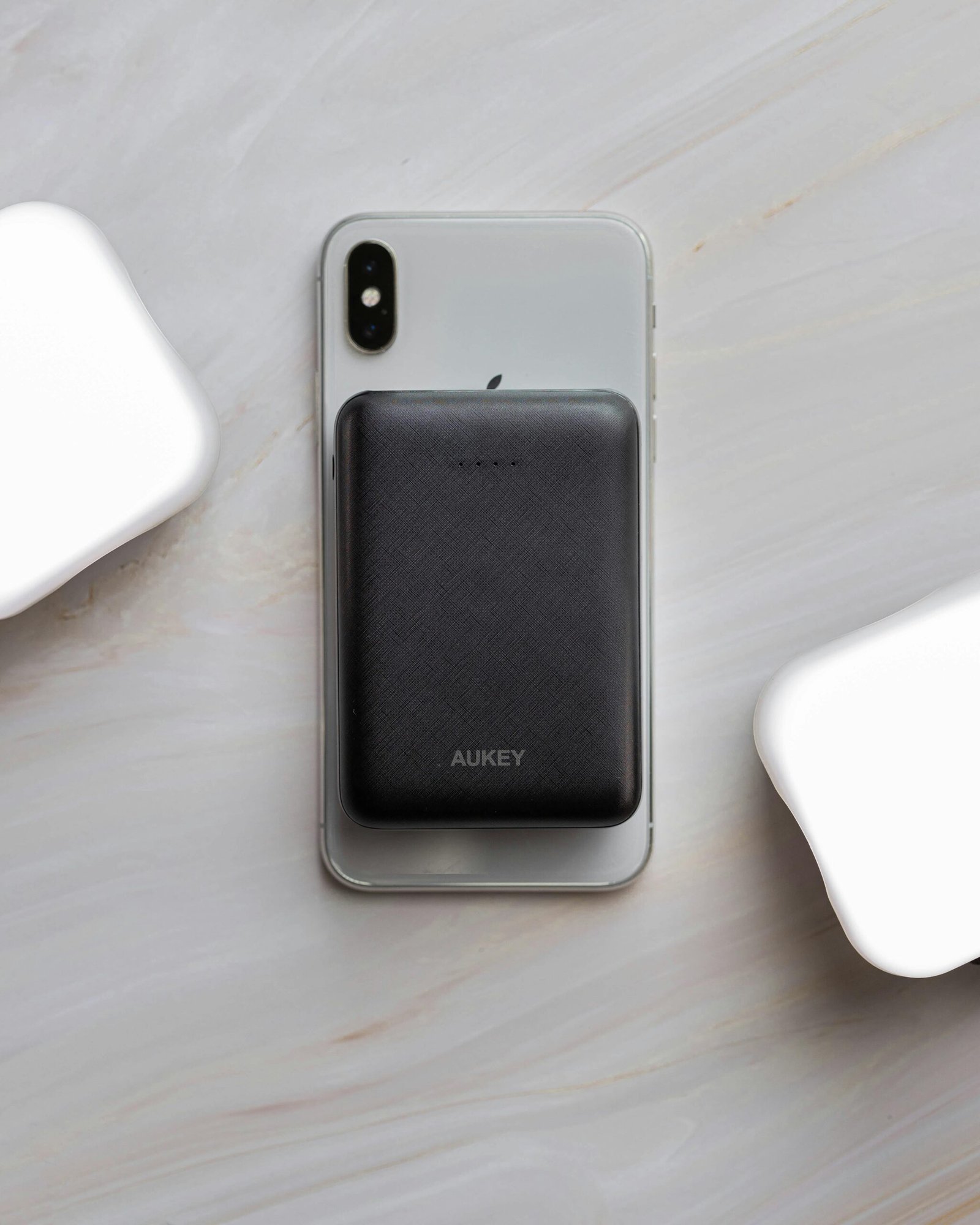
| Anker 737Power | Power Bank | 442g | 140W charges laptop + devices |
| UGreen USB-C Hub | Connectivity | 150g | 8-in-1, HDMI, USB-A, SD card |
| Logitech MX Keys Mini | Keyboard | 506g | Compact, backlit, multi-device |
| Logitech MX Anywhere 3 | Mouse | 99g | Works on any surface, silent |
| Anker Nano 65W Charger | Charger | 86g | GaN, foldable, laptop-ready |
| AirPods Pro 2Audio | Earbuds | ~50g | ANC for calls + focus work |
| Ekster Aluminum Cardholder | Wallet | 45g | Ultra-slim, RFID, replaces bulky wallet |
| Cable kit (2× USB-C, 1× multi) | Cables | ~90g | Short = light = less tangle |
Everything else on this list is irrelevant if the bag doesn’t work. A 20L bag isn’t a limitation — it’s a discipline system. It forces you to carry only what earns its place.
Osprey Daylite Plus Earth Commuter
Structured, carry-on safe, and built with a laptop sleeve that actually protects
“Most 20L bags feel like compromises. The Daylite Plus Earth Commuter doesn’t. It fits under most airline seats, carries a 15″ laptop securely, and still has enough structure to reach into without unpacking everything first.”
The Osprey Daylite Plus Earth Commuter is the carry-on daily bag that remote workers who move constantly keep coming back to. The dedicated laptop sleeve — padded and suspended away from the base — protects your machine even if the bag is dropped. The external panel access means you can get to cables and your power bank without pulling everything out. At around 510g empty, it won’t eat into your airline weight limit. The harness system is genuinely comfortable for a full day of city movement, which matters when you’re walking to a co-working space with your whole office on your back. For a deeper look at how to pack this bag as a full system, see the Travel Tech Guide.
Pros
- Suspended laptop sleeve — real protection
- Structured enough to stand upright
- Harness system comfortable for full days
- Front panel access — no unpacking mid-day
- Fits under most airline seats
Cons
- No water bottle pocket on base model
- Hip belt is minimal — not for heavy loads
- 20L is genuinely disciplined — no bloat allowed
A second screen is not a luxury for remote workers — it’s the difference between managing your business and struggling through it. The question is only which portable monitor earns its weight in a 20L bag.
ARZOPA Z1FC 15.6″ Portable Monitor
Full HD, 144Hz, USB-C powered — and thin enough to forget it’s in your bag
“At 1.5cm thin and 670g, the ARZOPA Z1FC is the monitor that finally made a second screen a non-negotiation in a carry-on setup. One USB-C cable. Full HD. Done.”
The ARZOPA Z1FC earns its place in a 20L bag because it makes no compromises on the things that matter — screen quality, connection simplicity, and packability — while being remarkably light for its size. The 15.6″ Full HD panel with 144Hz refresh rate is sharp enough for detailed design work, document editing, and video calls simultaneously. Single USB-C connection means one cable from your laptop powers and connects the display. The built-in kickstand holds at multiple angles and doesn’t require an external case to protect it in transit. We reviewed this monitor in detail — read the full ARZOPA review here.
Pros
- Single USB-C cable — zero complexity
- Sharp, colour-accurate panel for creative work
- Thin enough to slide alongside a laptop sleeve
- Built-in stand — no accessories needed
- 144Hz makes everyday use feel premium
Cons
- No built-in battery — needs laptop USB-C power
- Speakers are basic — use earbuds for calls
- 670g is the heaviest single item in this setup
Power is not optional when your office is wherever you happen to be. One power bank and one compact charger. That’s the entire system — and it needs to handle a full laptop, a monitor, a phone, and earbuds simultaneously.
Anker 737 Power Bank (140W)
The only power bank that charges a laptop at full speed — from a bag
“140W output. 24,000mAh. It charges your MacBook or Windows laptop as fast as a wall adapter — from your backpack. This is the power bank that changed what ‘working from anywhere’ actually means.”
The Anker 737 is the power bank we recommend on this site for serious remote workers because it’s the one that removes the outlet dependency entirely. At 140W output, it charges a MacBook Pro or Windows ultrabook at full speed — not trickle-charge speed. The 24,000mAh capacity delivers roughly 1.5 full laptop charges plus multiple phone charges. The built-in display shows exact battery percentage and wattage in real time. It’s the heaviest item in the power category at 442g, but every gram is earning its weight. Read the full breakdown in the Best Power Banks guide.
Pros
- Charges laptops at full wall-adapter speed
- 3-port simultaneous output — laptop + phone + earbuds
- Real-time wattage display
- Airline carry-on approved (under 100Wh threshold)
- Charges itself fast with the included cable
Cons
- 442g is substantial — heaviest power item
- Premium price vs basic power banks
- Large size — takes dedicated bag space
Anker Nano 65W GaN Charger
Laptop-ready power in a charger the size of a large eraser
“86 grams. Foldable plug. 65W — enough to charge a MacBook Air at full speed. This is the wall charger that stopped being noticeable in a bag.”
GaN (gallium nitride) technology is why this charger can deliver 65W from something the size of a large dice. The foldable plug means no snagged cables in your bag. At 86g it weighs less than two packs of gum. It handles your laptop when you have access to an outlet, saving the Anker 737 for when you don’t. One charger, one cable, two jobs. For travel between different plug systems, pair this with a compact universal adapter — the charger itself is dual-voltage so it works worldwide.
Pros
- Lightest 65W laptop charger available
- Foldable plug — no snagging in bags
- Works worldwide — dual-voltage
- GaN runs cooler than standard chargers
Cons
- Single port — one device at a time
- 65W may be slow for high-power laptops (15″ MacBook Pro)
Modern ultrabooks have sacrificed ports for thinness. A good hub gives them back — without adding weight you’ll notice.
UGreen USB-C Hub
HDMI, USB-A, SD card, Ethernet — one hub, every port you’ll actually use
“The moment you need to present from a projector in a co-working space, transfer photos from an SD card, or plug into a wired Ethernet connection — you’ll know exactly why this hub is in the bag.”
The UGreen USB-C Hub covers every real-world connectivity scenario a nomad encounters without becoming a heavy brick in your bag. The HDMI port mirrors or extends your laptop display to room screens and external monitors. The USB-A ports handle peripherals that haven’t moved to USB-C yet. The SD and microSD slots mean you’re never hunting for a card reader. The pass-through charging means you plug your charger into the hub and the hub into your laptop — one clean cable setup on any desk. UGreen’s build quality is consistently reliable under the kind of daily plug-in and unplug cycles that nomad life demands.
Pros
- Every port a nomad actually needs
- Pass-through charging — charger goes into hub
- Stable — doesn’t wobble out of laptop port
- SD card slots for photographers and content creators
Cons
- Gets warm under heavy simultaneous use
- Not for iPad-only setups — requires full USB-C power delivery
A laptop keyboard is fine for two hours. It becomes a liability for eight. A compact wireless keyboard and mouse transform any surface into a proper workstation — and fit flat in a 20L bag.
Logitech MX Keys Mini
Full typing experience in a compact, backlit, multi-device keyboard
“The MX Keys Mini is the keyboard that finally replaced a full-size board without compromise. The key travel is real. The backlight is smart. And it pairs to three devices — so your phone, tablet, and laptop switch with one button.”
Logitech’s MX Keys Mini hits the precise point between portable and professional that most compact keyboards miss. The spherical key caps follow finger curvature, reducing typing fatigue across long sessions. The backlight is proximity-activated — it turns on when your hands approach and off when you stop — which meaningfully extends the 10-day battery life. At 506g and 296mm wide, it lays flat in a 20L bag alongside a monitor sleeve without fighting for space. Pairs to three devices simultaneously via Bluetooth — switch between your laptop, tablet, and phone mid-session without re-pairing.
Pros
- Typing feel matches full-size premium keyboards
- Three-device quick switching — no re-pairing
- Proximity backlight saves battery intelligently
- Rechargeable via USB-C
- Available in Mac and Windows layouts
Cons
- 506g is significant for a keyboard
- No numpad — accountants and data workers will notice
- Premium price vs basic travel keyboards
Logitech MX Anywhere 3
99g, works on any surface — including glass and marble café tables
“Marble table in Lisbon. Polished wood desk in Bali. Fabric couch tray in an Airbnb. The MX Anywhere 3 works on all of them — which matters more than any spec sheet.”
The MX Anywhere 3 is built for exactly this use case — a mouse that performs on unpredictable surfaces without demanding a mousepad that adds more weight and pack space. The MagSpeed scroll wheel is the unexpected standout: flick it for fast document scrolling, and it glides for seconds; click it into ratchet mode for precise line-by-line control. At 99g, it barely registers in a bag. Rechargeable via USB-C and compatible with Logitech’s Bolt receiver or Bluetooth — same three-device pairing logic as the MX Keys Mini.
Pros
- Works on glass, marble, fabric — no mousepad needed
- MagSpeed scroll is genuinely useful
- Compact enough to disappear in a jacket pocket
- Long battery — 70 days per charge
Cons
- Smaller than a full-size mouse — may fatigue larger hands
- No vertical option for ergonomic preference users
Noise-cancelling earbuds are not a comfort item in a nomad setup. They are a focus tool, a call quality upgrade, and a politeness mechanism in shared spaces — all in one.
AirPods Pro 2
Best-in-class ANC, seamless Apple integration, and all-day call quality
“AirPods Pro 2 integrate with iPhone and Mac at a level no competitor matches — seamless switching, adaptive ANC, and a transparency mode that lets you hear your surroundings without removing them. For Apple users, there is no better choice.”
Noise-cancelling earbuds are not a comfort item in a nomad setup — they are a focus tool, a call quality upgrade, and a politeness mechanism in shared spaces all in one. AirPods Pro 2 deliver best-in-class ANC that silences café background noise from your client calls, seamless switching between your iPhone and MacBook mid-session, and a transparency mode that lets you stay aware of your surroundings in unfamiliar cities without removing them entirely. At around 50g with the case, they live in any pocket of a 20L bag and disappear from your awareness within minutes of wearing them. The battery case charges via USB-C — consistent with the rest of this setup.
Pros
- ANC silences café and co-working noise on calls
- Seamless switching between iPhone and Mac
- Transparency mode — stay aware without removing them
- Tiny — negligible bag impact
- USB-C case — consistent with the rest of the setup
Cons
- Best features are Apple ecosystem only
- Premium pricing
- Battery life limited under continuous ANC
How We Chose This Setup
- Weight discipline first — every item was weighed. The total tech load stays under 2.7kg to leave room for clothing and personal items in a 20L bag
- Real workday performance — evaluated for 6–8 hour working sessions, not casual travel use
- Airline carry-on compliance — all power items checked against IATA watt-hour limits
- Packability — flat items preferred over bulky ones; nothing that creates an awkward shape in the bag
- System compatibility — every item works with a single USB-C standard, minimising cable complexity
- Replacement accessibility — all items are available on Amazon globally, so replacements are possible from most countries
Can this full setup pass as a personal item on budget airlines?
The Osprey Daylite Plus Earth Commuter fits under the seat on most European and US carriers as a personal item. Budget airlines (Ryanair, EasyJet, Wizz Air) have stricter personal item dimensions — check their current specs before flying. The bag itself clears most standard thresholds when not overpacked. The tech gear inside has no impact on this — it’s purely a bag dimension question.
Is the Anker 737 allowed on planes?
Yes. The Anker 737 at 24,000mAh / 88.8Wh sits below the 100Wh carry-on limit set by IATA and followed by most airlines. It must go in your carry-on bag — never checked luggage. Always confirm with your specific airline, as regulations can vary by carrier and destination.
Does this setup work without a portable monitor?
Yes — and if you’re primarily working from co-working spaces with external monitors provided, you can drop the ARZOPA entirely and save 670g. The remaining setup (bag, power bank, hub, keyboard, mouse, charger, earbuds) weighs under 2kg and still represents a complete professional workstation for any desk with an existing screen. The monitor is the one item that is context-dependent.
What laptop is this setup designed for?
This setup is hardware-agnostic — it works with any modern USB-C laptop. The most common pairings in the nomad community are MacBook Air M-series (the weight benchmark), Dell XPS 13, LG Gram 14, and Lenovo ThinkPad X1 Carbon. All are ultrabooks under 1.4kg that complement the 20L constraint. The setup’s power infrastructure handles any of these without adjustment.
Everything you need to work from anywhere. Nothing you don’t.
The constraint of 20 litres is the point — not the problem. This setup proves that a complete professional workstation fits inside a bag that goes under your seat, through security in 30 seconds, and onto your back for a full day of city movement. If you want to go deeper on how connectivity fits into this system, read the Best eSIMs for Digital Nomads guide next. And if you’re building your remote setup from scratch, start with the Freedom Infrastructure Kit.