
Best Portable Monitors for Travel & Remote Work (2026)
How to Build a Portable Work Setup Anywhere
Working from a laptop is fine for a few hours.
Working from a laptop for weeks while travelling is another story.
Small screens slow you down, make multitasking harder, and often leave you with neck and shoulder pain from looking down all day.
One of the biggest upgrades for remote work while travelling isn’t a new laptop.
It’s a portable monitor.
A second screen turns a temporary desk, hotel room, airport lounge, or café into a functional workspace.
This guide covers the best portable monitors for travel and remote work, and how to choose the right one for your setup.
Quick Pick
Bulleted with anchors:
- Best Overall: ASUS ZenScreen MB16AC (Check current price on Amazon)
- Best Lightweight Option: Lenovo ThinkVision M14 (Check current price on Amazon)
- Best Budget Pick: ARZOPA Portable Monitor (Check current price on Amazon)
Why Portable Monitors Are Worth It
A portable monitor can:
- Increase productivity
- Improve posture
- Make video calls easier
- Allow multitasking (email + documents, research + writing, editing + preview)
- Turn travel into actual workable time
- Make remote work feel more stable
For many remote workers, this is one of the most impactful pieces of travel tech.
What To Look For In A Portable Monitor
Before choosing one, these are the most important factors:
1. Weight
If you travel often, weight matters more than size.
Look for:
- Under 1 kg ideally
- Slim design
2. Single Cable Connection
The best monitors connect via USB-C with:
- Power
- Video
- Audio
One cable = simpler setup.
3. Screen Size
Most portable monitors are:
- 14”
- 15.6”
- 16”
15.6” is usually the best balance between size and portability.
4. Brightness
Important if you work:
- Near windows
- In cafés
- In bright environments
Look for at least 250–300 nits brightness.
5. Protective Cover / Stand
Most portable monitors come with a magnetic cover that doubles as a stand.
This is important for travel setups.
Best Portable Monitors for Travel & Remote Work
1. ASUS ZenScreen MB16AC — Best Overall Portable Monitor
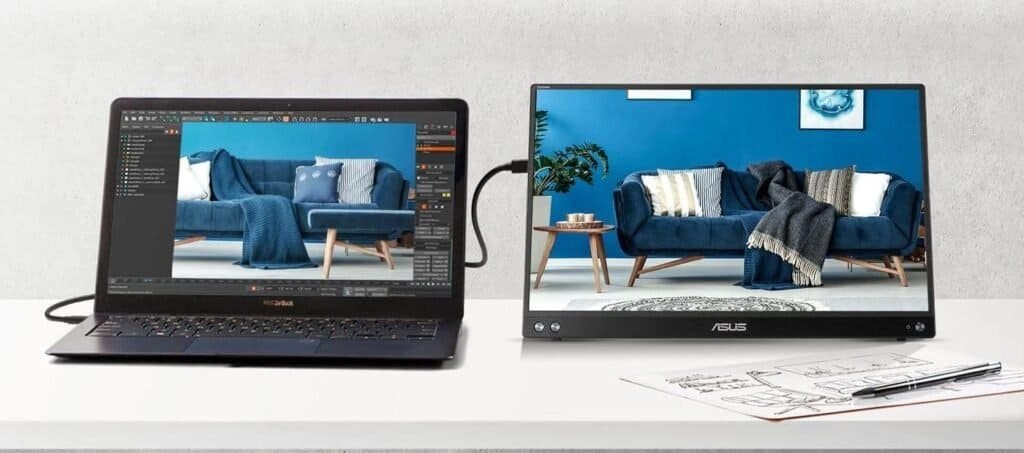
This is one of the most popular portable monitors for travellers and remote workers.
Why It’s a Top Pick
- Very slim and lightweight
- USB-C single cable connection
- Good image quality
- Reliable brand
- Protective cover that works as a stand
- Works well with Mac and Windows
Pros and Cons
Pros
- Very slim and lightweight, easy to travel with
- Single USB-C cable for power and display (clean setup)
- Good build quality and reliable brand
- Protective cover that doubles as a stand
- Good balance between portability and screen size
- Works well for remote work, writing, spreadsheets, and general productivity
Cons
- Usually more expensive than budget portable monitors
- Brightness is good but not ideal for very bright outdoor environments
- Built in stand cover is not very adjustable
- Not the best option for colour-critical work like professional photo editing
Best for
People who:
- Travel frequently
- Work remotely
- Want a reliable second screen
- Need something lightweight
This is a very balanced, reliable portable monitor and a great choice for most travellers and remote workers.
Read Full Review → ASUS ZenScreen MB16AC Review
Check Current Price on Amazon
2. Lenovo ThinkVision M14 — Best Lightweight Option
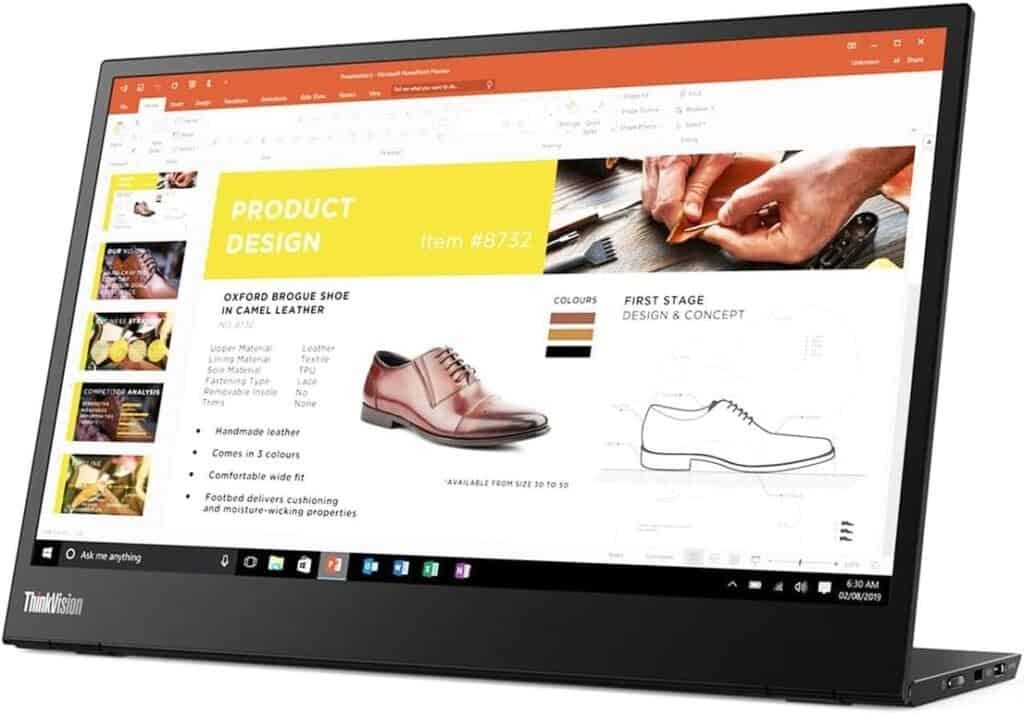
The Lenovo ThinkVision is known for being extremely lightweight and minimalist.
Why It’s Great
- Very light
- Clean design
- USB-C connection
- Adjustable stand
- Great for travel setups
- Very portable
Pros and Cons
Pros
- Extremely lightweight and travel-friendly
- Very clean and minimalist design
- Built-in adjustable stand (more stable than cover stands)
- USB-C connection with power pass-through
- Very easy to set up and pack
- Excellent for people who move locations often
Cons
- More expensive than many portable monitors
- Slightly smaller screen compared to some 15.6” models
- Limited ports compared to some alternatives
- Not designed for gaming or high-performance graphics
Best for
People who:
- Travel with carry-on only
- Work from cafés
- Move locations frequently
- Want a very minimal setup
This is one of the best options for people who travel frequently and want a very lightweight, minimal setup.
Read Full Review → Lenovo ThinkVision M14
Check Current Price on Amazon
3. ARZOPA Portable Monitor — Best Budget Portable Monitor
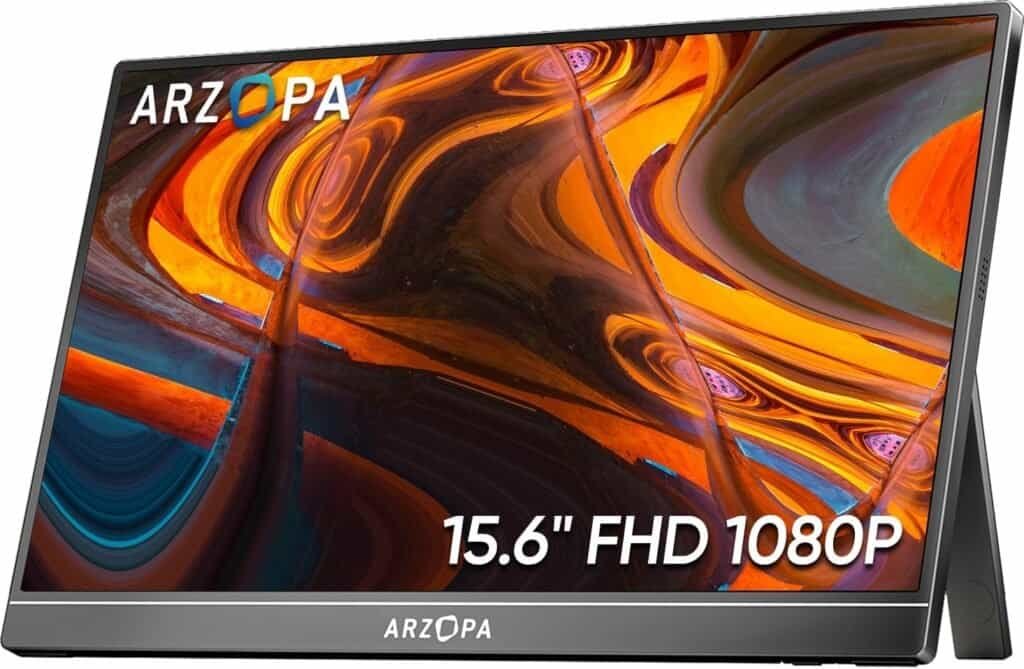
If you want a second screen but don’t want to spend too much, ARZOPA monitors are very popular budget options.
Why It’s Great
- Affordable
- Good screen size
- Easy setup
- Good for occasional travel
- Works with laptop, phone, gaming console
Pros and Cons
Pros
- Much more affordable than premium brands
- Large screen (usually 15.6”)
- Easy plug-and-play setup
- Works with laptops, phones, and gaming consoles
- Good option for occasional travel or home use
- Good value for money
Cons
- Build quality is not as premium as ASUS or Lenovo
- Usually slightly heavier
- Cover/stand can be less stable
- Brightness and colour accuracy are average
- Long-term durability may be lower than premium brands
Best for
People who:
- Want a second screen occasionally
- Are testing a remote setup
- Want a cheaper option first
- Work mostly from accommodation, not cafés
A good budget option if you want a second screen without spending too much, especially if you don’t travel constantly.
Read Full Review → ARZOPA Portable Monitor Review
Check Current Price on Amazon
Portable Monitor vs Tablet — Which Is Better?
Some people consider using a tablet as a second screen.
Tablet Pros
- Multi-purpose device
- Touchscreen
- Entertainment + work
Portable Monitor Pros
- Larger screen
- Easier cable connection
- Better for productivity
- Usually lighter than tablets + keyboard
- Cheaper than buying a tablet
If your main goal is productivity, a portable monitor is usually the better choice.
If you want a multipurpose device, a tablet might make more sense.
How I Recommend Using a Portable Monitor While Travelling
A simple travel setup can look like this:
- Laptop
- Portable monitor
- Foldable laptop stand
- Small mouse
- Electronics organiser
- Power bank
- Travel router
This setup can turn almost anywhere into a functional workspace:
- Airbnb
- Hostel common area
- Café
- Airport lounge
- Co-working space
- Hotel desk
This is what I call portable infrastructure — not just travelling, but being able to work comfortably anywhere.
If you’re looking for more Remote Work Items → How to Choose the Best Travel Tech for Long Trips
How We Chose this Products
When choosing portable monitors for travel and remote work, the goal is not just screen quality.
The goal is portability + reliability + simple setup.
We selected these monitors based on the criteria that matter most for people who work while travelling or moving between locations.
1. Criteria
We focused on the factors that matter most for travel and remote work, not just screen quality.
The main criteria were:
- Portability (weight and thickness)
- Single cable setup (USB-C)
- Screen size vs travel practicality
- Build quality and durability for travel
- Ease of setup in cafés, hotels, and temporary workspaces
- Price range (budget, mid-range, and premium options)
The goal was to find monitors that actually work well on the road, not just on a desk.
2. testing
Portable monitors were evaluated based on real travel and remote work scenarios, such as:
- Working from cafés
- Working from Airbnbs and hotels
- Setting up temporary desks
- Packing and unpacking frequently
- Carry-on travel setups
- Working long hours on a laptop + second screen
The most important factor was not technical performance alone, but how practical the monitor is in real travel situations.
3. Research
We also considered:
- Long-term user reviews
- Reliability of the brand
- Common issues reported by users
- Compatibility with Mac and Windows
- Weight and dimensions compared to similar models
- Value for money within each category
The idea was to avoid recommending products that look good on paper but perform poorly over time.
4. Who This Guide is Based On
This guide is for people who:
- Work remotely
- Travel frequently
- Work from cafés, co-working spaces, hotels, or Airbnbs
- Need a portable and functional workspace
- Want to build a location-flexible work setup
- Carry their office in a backpack
In other words, this guide is for people who are not just travelling — but working while they move.
FAQs
Are portable monitors worth it for travel?
Yes, especially if you work remotely, study online, edit photos/videos, code, write, or manage multiple windows at once. Productivity increase is significant.
Do portable monitors need external power?
Some do, but many modern portable monitors are powered directly through USB-C from the laptop.
Can you use portable monitors with MacBook?
Yes, most USB-C portable monitors work with MacBooks. Always check compatibility before buying.
Do portable monitors fit in carry-on luggage?
Yes. Most are designed to fit in laptop sleeves or backpacks.
Final Thoughts
Remote work while travelling becomes much easier when your setup is comfortable.
Most people focus on where they will go, but few think about how they will work once they get there.
A portable monitor is one of those tools that seems unnecessary until you use one — and then it becomes part of your standard setup.
If your goal is to build a location-flexible lifestyle, small pieces of portable infrastructure like this make a huge difference.
Not because they are fancy.
But because they make movement sustainable.
- If you’re building a remote setup, I also wrote about other tools that make travelling and working easier — from travel routers to power banks and organisation systems — here on HomeTripTech.
- If you’re unsure how to choose, read our guide Best Tech to Design a Location-Free Life (The Freedom Infrastructure Kit)