
Best Tech to Design a Location-Free Life
The Freedom Infrastructure Kit
If your income depends on WiFi, battery life, and focus, your tools are your stability layer. This is the exact kit I use — seven pieces of gear that make any location functional.
Most remote work gear lists are optimised for aesthetics. They look good in a flat-lay. They don’t account for a 9-hour power outage in a Lisbon Airbnb, unstable shared WiFi in a Bali co-working space, or the cumulative physical cost of working from a café table for six consecutive weeks. The freedom infrastructure that actually holds across countries isn’t the most photogenic kit — it’s the one that never becomes the problem.
This list covers seven categories: power, internet, focus, posture, ritual, productivity, and organisation. Every item has been selected because it solves a specific failure point in the location-free life stack — not because it looks minimal. The system earns its weight or it doesn’t travel.
The Freedom Infrastructure Kit
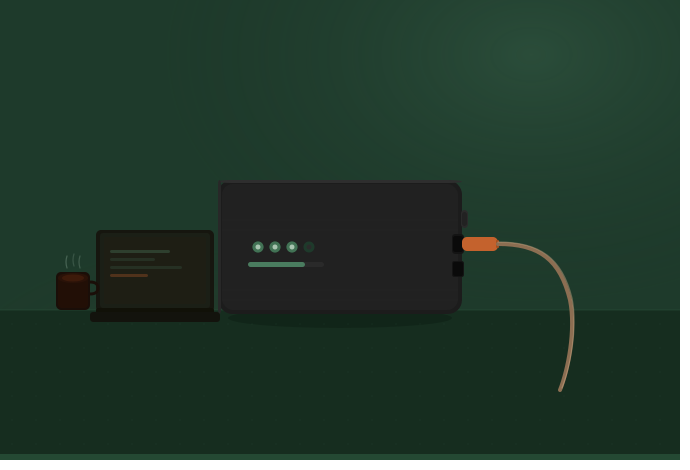
Power failure is the most disruptive single point of failure in remote work — and the most avoidable. A dropped client call, a lost session of work, an airport departure with a dead laptop. The Anker 737 solves this category because it operates at laptop-charging output, not just phone-charging output. Most power banks top out at 65W. This one outputs 140W — enough to charge a MacBook Pro at full speed while simultaneously running other devices.
| Capacity | 24,000mAh |
| Max output | 140W (laptop-compatible) |
| Ports | 2× USB-C, 1× USB-A |
| Display | Digital screen — real-time power remaining |
| Airline compliant | Yes — under 100Wh threshold |
| Recharge time | ~1.5 hours at full input |
| Weight | 642g |
Six-hour flight from São Paulo to Lisbon, no seat power. MacBook Pro open for the full duration — writing, editing, one offline design session. Arrived with 38% remaining on the bank, laptop at 71%. The display shows real-time watt draw, which means you can see exactly what’s happening at any point — not estimating.
- Charges laptops at full speed — not trickle output
- Real-time digital display removes guesswork
- Airline-approved at 24,000mAh
- Recharges itself fast enough to be daily-useful
- 642g — you’ll notice it in a day bag; trade-off for the capacity
- Premium price point — budget options exist if laptop charging isn’t required
→ Full Anker 737 review
Shared accommodation WiFi is the default connectivity solution for most remote travellers. It’s also the least reliable option — subject to network congestion, inconsistent password sharing, zero security, and speed that varies by room and time of day. A travel router doesn’t replace the underlying connection; it controls what you do with it. You connect once, configure once, and from that point every device on your setup uses a private, stable, VPN-routed network.
The Beryl AX is WiFi 6, which matters when you’re operating in hotels and co-working spaces where multiple devices compete for the same bandwidth. Its VPN compatibility means you can route traffic through your home country’s servers — relevant if you’re accessing region-locked work tools or simply keeping client data off public networks.
| WiFi standard | WiFi 6 (802.11ax) |
| VPN support | OpenVPN, WireGuard built-in |
| Ports | 2× Gigabit Ethernet, USB 3.0 |
| Power | USB-C — runs from a power bank |
| Size | Pocket-sized — 88 × 68 × 22mm |
| Setup | Browser-based interface, 5 minutes |
Porto apartment with building-wide WiFi — shared across 12 units, advertised at 100Mbps. Speed test direct on the network: 8Mbps download, 2Mbps upload. Plugged in the Beryl AX on the 5GHz band with QoS prioritisation on: 34Mbps download, stable. Two video calls that afternoon without a single drop. Same network, different result — the router controlled what was available to my setup specifically.
- WiFi 6 prioritises your devices on congested networks
- Built-in VPN removes the need for a software subscription
- Powers from USB-C — runs directly from the Anker 737
- Setup takes under 5 minutes, carries over to the next location
- Can’t improve a genuinely bad base connection — only optimises what’s there
- Initial VPN configuration requires technical comfort; not plug-and-play for everyone
Noise is not an aesthetic inconvenience. It’s a cognitive tax — every ambient sound your brain partially processes is processing capacity not available for work. In airports, cafés, co-working spaces, and shared accommodation, the noise environment is outside your control. The QC45s bring it back inside your control. Bose’s active noise cancellation in this class is not matched at the price point for the use case of all-day wear across variable environments.
| ANC | Active noise cancellation + Aware mode |
| Battery | 24 hours ANC on, 40 hours off |
| Weight | 238g |
| Connectivity | Bluetooth 5.1 + 3.5mm wired |
| Fold | Foldable — fits standard carry cases |
| Call quality | 4-mic array — clear in noisy environments |
Full workday in a Lisbon café — street-facing windows, tourist foot traffic, espresso machine running continuously. Four hours of deep writing work, two client calls. The calls came through clearly on both ends. The writing sessions produced more in that environment with the QC45s than the same duration in a quieter space without them — the ANC creates a consistent acoustic environment regardless of what’s happening around it.
- Best-in-class ANC for all-day comfort and effectiveness
- 24-hour battery covers full international travel days
- Call quality is reliable — no “can you hear me?” moments
- Foldable to a compact case, fits in a personal item
- Premium price — Sony XM5 is a valid alternative at a similar point
- No multipoint Bluetooth on this model — one device at a time
Working from café tables, kitchen counters, and accommodation desks with your laptop flat on a surface means looking downward for hours at a time. Over days this is uncomfortable. Over months working remotely, it’s a structural problem — chronic neck and shoulder strain that compounds into a medical cost. A laptop stand is not ergonomic optimism; it’s the cheapest way to maintain eye-level screen position across every environment you work from.
| Material | Aluminium alloy |
| Height range | Adjustable — 6 positions |
| Weight | 280g |
| Laptop size | Up to 15.6″ |
| Fold | Flat-fold — fits in most laptop sleeves |
| Setup | Unfolds in under 10 seconds |
Six weeks of daily use across Lisbon, Porto, and São Paulo — cafés, co-working spaces, kitchen tables, a long-haul flight tray table. The stand pairs with a compact Bluetooth keyboard; the laptop screen sits at eye level and the keyboard sits at hand level. It’s the closest approximation to a desk setup that fits in the base of a backpack. The weight trade-off (280g) is negligible against the physiological cost of not using it.
- Lightweight enough to carry daily — doesn’t stay in the bag “for heavy days”
- Aluminium construction dissipates laptop heat — extends device longevity
- Price point makes it a no-friction decision
- Requires a separate keyboard and mouse to be fully ergonomic — additional carry weight
- Surface grip could be stronger on glass or polished tables
When your environment changes constantly, rituals are the anchor. The Nanopresso isn’t on this list because espresso is essential infrastructure — it’s here because having something consistent in your morning that you control, regardless of whether the accommodation has decent coffee, whether the local café is open at 6am, or whether you’re on a 14-hour overnight bus, is worth the 336g it costs in your pack. Small rituals compound into discipline. Discipline compounds into output.
| Mechanism | Manual pump — no electricity required |
| Pressure | 18 bar — genuine espresso extraction |
| Weight | 336g with components |
| Water capacity | 80ml — one double shot |
| Compatibility | Ground coffee or NS adapter for capsules |
| Setup time | ~3 minutes start to finish |
Overnight bus from Porto to Madrid — 9 hours. Dawn arrival at a station with no café open. Nanopresso, a small container of ground coffee, and a thermos of hot water requested the previous evening from the hostel. Espresso at 6:15am in an empty bus terminal. The quality isn’t café-level — it’s noticeably better than most accommodation coffee and reliable regardless of location. That reliability is the point.
- No electricity required — works anywhere hot water is available
- Genuine espresso pressure — not a moka-style approximation
- Compact enough to fit in a jacket outer pocket
- Requires hot water from somewhere — not fully self-contained
- Cleaning takes longer than simply using a café — 5–10 minutes with water
A second screen is not a luxury upgrade. For work that requires simultaneous reference and production — code with documentation, writing with research, video editing, client deliverables alongside project management — operating on a single laptop screen costs time and increases error rate. The ZenScreen solves this portably: it draws power from your laptop’s USB-C port, weighs under a kilogram, and adds a full 15.6″ display to any setup where a flat surface exists.
This is the item on this list most worth assessing against your specific workflow. If your work is single-window by nature — writing, calls, basic admin — the weight isn’t justified. If you’re doing anything that benefits from split-screen real estate, the productivity return is disproportionate to what it costs to carry.
| Screen size | 15.6″ Full HD (1920×1080) |
| Power | USB-C from host device — no separate charger |
| Weight | 870g |
| Thickness | 8mm — fits in most laptop sleeves |
| Colour accuracy | 72% NTSC — adequate for most workflows |
| Compatibility | USB-C devices; USB-A with included adapter |
Video editing in a São Paulo co-working space — DaVinci Resolve on the MacBook screen, timeline preview and browser on the ZenScreen. The colour accuracy at 72% NTSC is sufficient for grading review, though not for final colour critical work. The setup runs entirely from the laptop — no additional cables, no additional power point required. For a half-day editing session, the output difference versus single-screen is measurable.
- Powers from USB-C — zero additional cabling or power points needed
- 8mm slim profile fits in standard laptop sleeves
- Colour accuracy is honest for most non-colour-critical workflows
- 870g adds meaningful weight — assess against your specific workflow before buying
- 72% NTSC is not sufficient for professional colour grading deliverables
- No built-in stand — requires a case or propping solution
Loose cables are a friction tax — small, repeated, cumulative. Finding the right cable at the bottom of a bag, untangling headphone leads, locating the SD card reader before a shoot, realising the USB-C adapter stayed in yesterday’s accommodation. The BAGSMART organiser removes that tax by assigning every cable, adapter, and small accessory a fixed location. You open one pouch, everything is visible and accessible. You pack one pouch, everything is contained.
| Compartments | Multiple structured pockets + elastic loops |
| Cable capacity | Fits 6–8 cables depending on size |
| Packed size | Approx. 26 × 18 × 6cm |
| Material | Nylon exterior, mesh interior panels |
| Weight | ~180g empty |
| Price | Low — highest value-to-friction-reduction ratio on this list |
Packing and unpacking across 14 locations in 10 weeks. The organiser opens flat — everything visible in one glance. USB-C cables, MagSafe adapter, SD cards, the Beryl AX, a multi-port hub, a universal adapter. Nothing hunted for. Packing takes 90 seconds. The time saved per trip is minor; the cognitive reduction of never searching for a cable is measurable across a full travel period.
- Opens flat — full visibility without unpacking
- Elastic loops hold cables in place during transit
- Price is the lowest barrier-to-entry item on this list
- Sized for a standard cable load — heavy kit users may need a larger format
- No waterproofing — use a dry bag layer in wet climates
Who This Kit Is and Isn’t For
- Women building remote income who work 6+ hours daily from variable locations
- Professionals transitioning out of office-based work who need their setup to be location-proof
- Anyone doing carry-on only travel where every item needs to earn its weight
- Remote workers who have had a power, connectivity, or organisation failure cost them client work
- You work from a fixed location with reliable infrastructure — most of this kit solves field problems, not desk problems
- You travel with checked luggage and weight isn’t a constraint — heavier, cheaper alternatives exist for most categories
- Your workflow is single-window — the monitor isn’t justified, and the router may not be either
Questions on Remote Work Tech
The power bank — specifically one that charges laptops at full output. Everything else assumes your device is on. If your battery is dead and no socket is available, your entire working setup is unusable. The Anker 737 at 140W output solves this at a capacity that covers a full working day without a power point.
They solve different problems. An eSIM provides mobile data — bandwidth is typically limited and hotspot speed depends on signal strength. A travel router improves and secures an existing WiFi connection. They’re complementary: the router for fixed-location work (accommodation, co-working, cafés), the eSIM for transit and locations without WiFi. The full connectivity stack is covered in the connectivity guide here.
Depends entirely on your workflow. For writing, calls, and single-window tasks — no. For video editing, development with documentation, client work requiring simultaneous reference — the productivity return outweighs the 870g. Assess against your specific daily task list before buying.
Not on this list because most USB-C charging removes the dependency — the Anker 737, the Beryl AX, and the ZenScreen all run on USB-C. One high-quality USB-C universal adapter covers everything. The kit is intentionally USB-C centred to reduce adapter carry weight.
- How to Create a Remote Life (Without Burning Everything Down) — the system behind the kit: income, skills, runway, infrastructure in sequence
- Best Power Banks for Remote Work — full comparison if the Anker 737 isn’t the right fit
- Travel Banking Setup for Women Travelling Abroad — the financial infrastructure layer that completes the stack
Get the Full Kit as a Printable Checklist
Drop your email and I’ll send the complete Freedom Infrastructure Kit as a PDF — including what I pack, what I’ve dropped after testing, and what’s coming to the kit before the South America trip. One email.
The kit above is the physical layer of freedom infrastructure — the gear that makes location irrelevant to how you work. It doesn’t replace the income model, the skills, or the financial runway. It’s the final layer once those are in place. If you’re still building the system underneath the gear, the remote life guide is where to start.
Every item on this list will be tested in the field across Peru, Bolivia, and Chile over 35 days from June 2026. Post-trip reviews will be updated with actual field performance data — including what held and what didn’t.
Next: the full Anker 737 review — including what happens to its output at 4,600m altitude on the Salkantay Trek, and whether the battery capacity holds in sub-zero overnight temperatures.